What the service includes
- Daily database backup
- Daily incremental file synchronization
- S3 compatible storage target setup
- Backup monitoring and error notification
- Seven-day database backup retention
- Remote setup and technical validation

Customer-owned cloud backup
Biga Bilişim configures secure S3 compatible backup workflows for companies that want daily database backup, incremental file synchronization and backup monitoring in their own cloud storage.
Last updated: June 10, 2026
An S3 compatible customer backup service copies database and application backups to customer-owned object storage. It is a secure cloud backup solution for companies that need independent backup files, backup monitoring and error notification.
The first synchronization transfers the selected application files to the customer bucket. After that, incremental file synchronization transfers only new or changed files. The daily database backup is exported and sent to the same S3 compatible storage area.
Backup monitoring and error notification help technical teams identify failed jobs before an emergency restore is required.
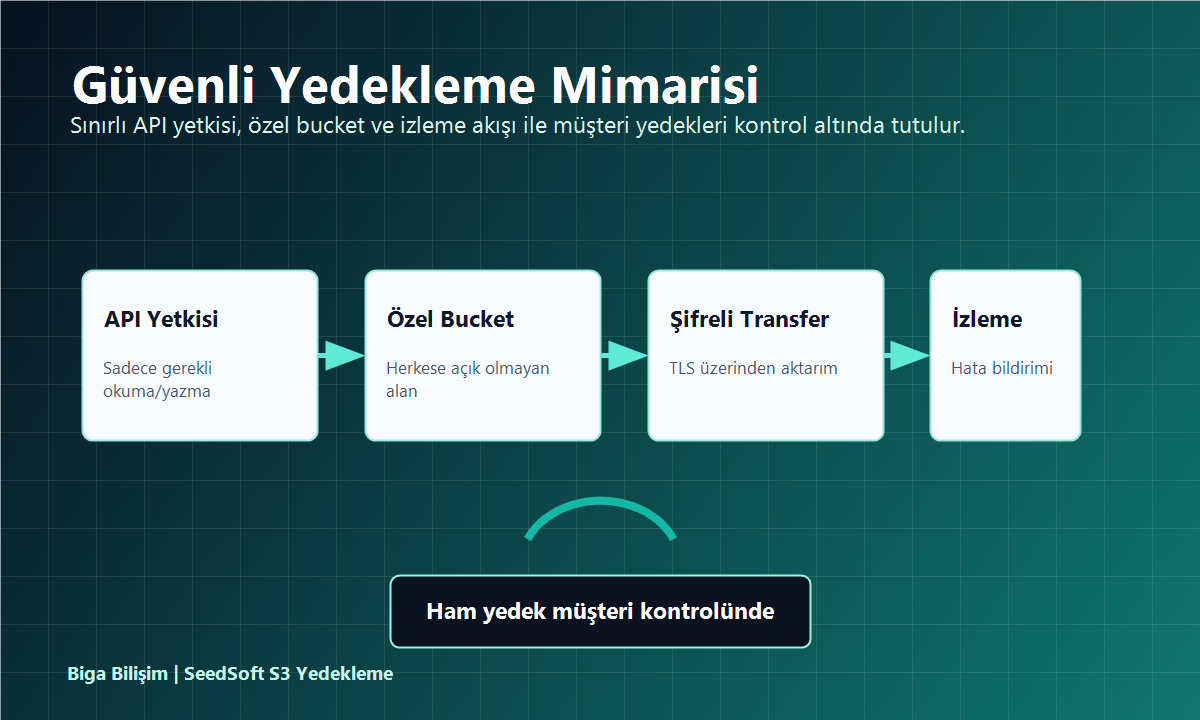
The recommended security model uses a dedicated bucket, limited API credentials and encrypted transfer. The bucket should not be public, and credentials should only allow the permissions required for backup storage and verification.
For annual package details, setup fee, additional storage and restore service pricing, review the S3 compatible backup pricing page.
An S3 compatible customer backup service transfers database and application backups to customer-owned object storage. The service helps companies keep independent backup copies outside the production hosting environment.
The backup scope includes daily database backup files and application assets. Media files, documents and changed application files are synchronized to the selected S3 compatible storage bucket.
The customer owns and controls the S3 compatible storage account. Biga Bilişim configures the backup workflow using limited credentials provided for the backup bucket.
The standard workflow creates a daily database backup. The backup file is transferred to the customer-owned S3 compatible storage location and monitored for transfer errors.
Incremental file synchronization transfers only new or changed files after the first full sync. This reduces network traffic and keeps backup jobs efficient for growing application folders.
Yes. Backup monitoring and error notification are part of the service. Failed jobs or transfer problems are reviewed so the customer can react before a restore is needed.
No. The S3 compatible backup service stores backup copies in customer-owned storage. Disaster recovery, application migration and full restore operations are planned and priced separately.
Yes. The service can be configured remotely for companies that use S3 compatible storage providers. Planning, credential review, test sync and monitoring setup can be handled online.
The workflow can work with many S3 compatible storage platforms, including Amazon S3, Wasabi, Cloudflare R2, MinIO and compatible object storage services that expose S3 API endpoints.
Setup requires the S3 endpoint, bucket name, access key, secret key and region information when applicable. Credentials should be limited to the backup bucket whenever possible.
Yes. Backup files are kept in the customer-owned S3 compatible storage area and remain accessible according to the customer storage policy, permissions and retention settings.
The standard plan keeps database backup history for seven days. Longer retention can be planned depending on the customer storage policy and backup capacity requirements.
Let us review your backup size, storage provider, retention needs and monitoring requirements.
Request a Backup ReviewWhatsApp +90 532 595 04 99Post-backup reporting
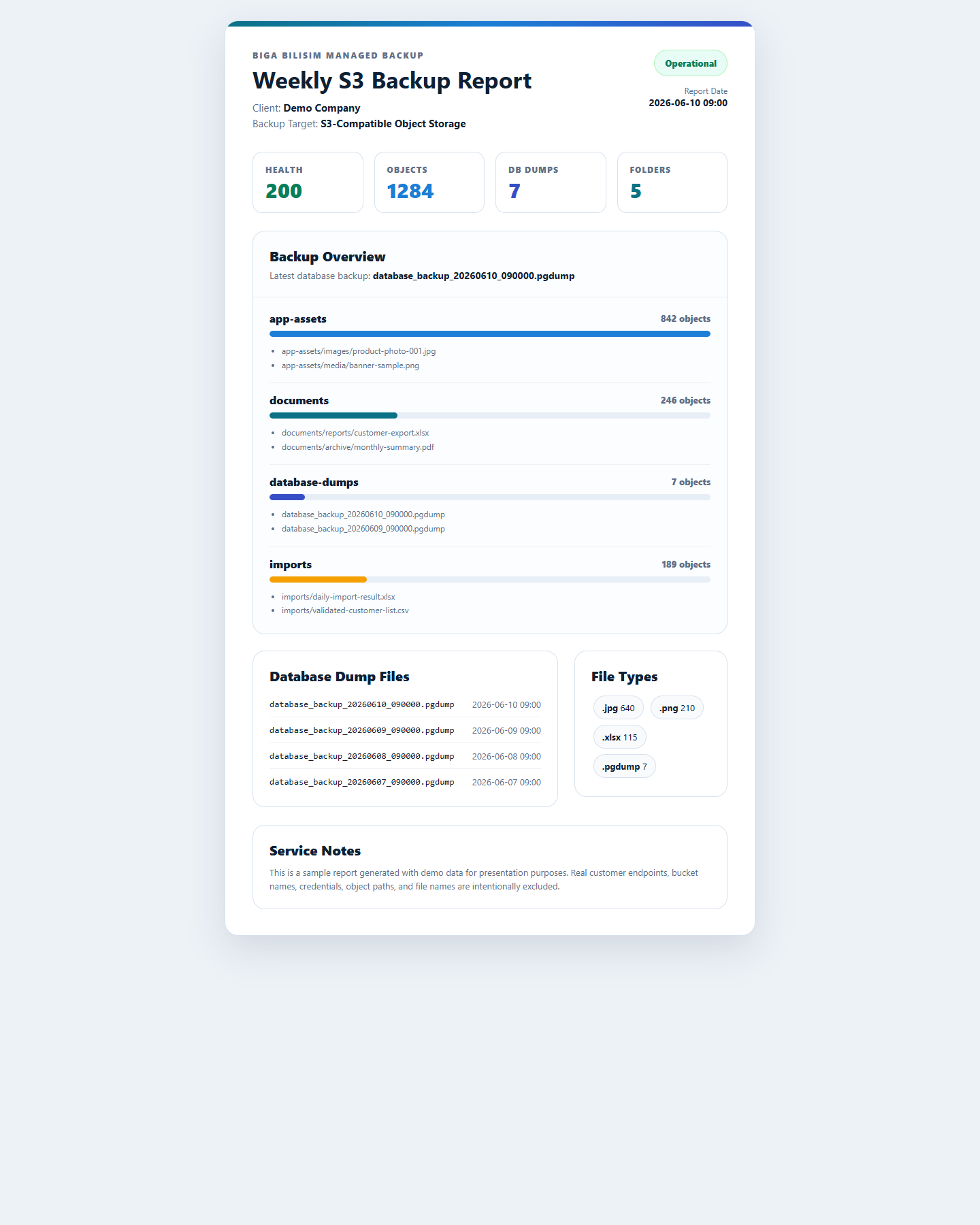
The S3 compatible customer backup service can include a weekly report email after backup checks. The report summarizes backup health, object count, database dump files, folder distribution and file types in a single customer-friendly view.
Bilgileriniz talep dönüşü için Biga Bilişim ekibine e-posta ile iletilir.